
Nutzerdokumentation
Clapilot Schritt für Schritt
Diese Anleitung erklärt jeden Bereich von Clapilot anhand echter Bildschirmfotos: wo Sie etwas finden, was die einzelnen Schaltflächen tun und wie Sie typische Aufgaben erledigen – allein oder zusammen mit dem Agenten.
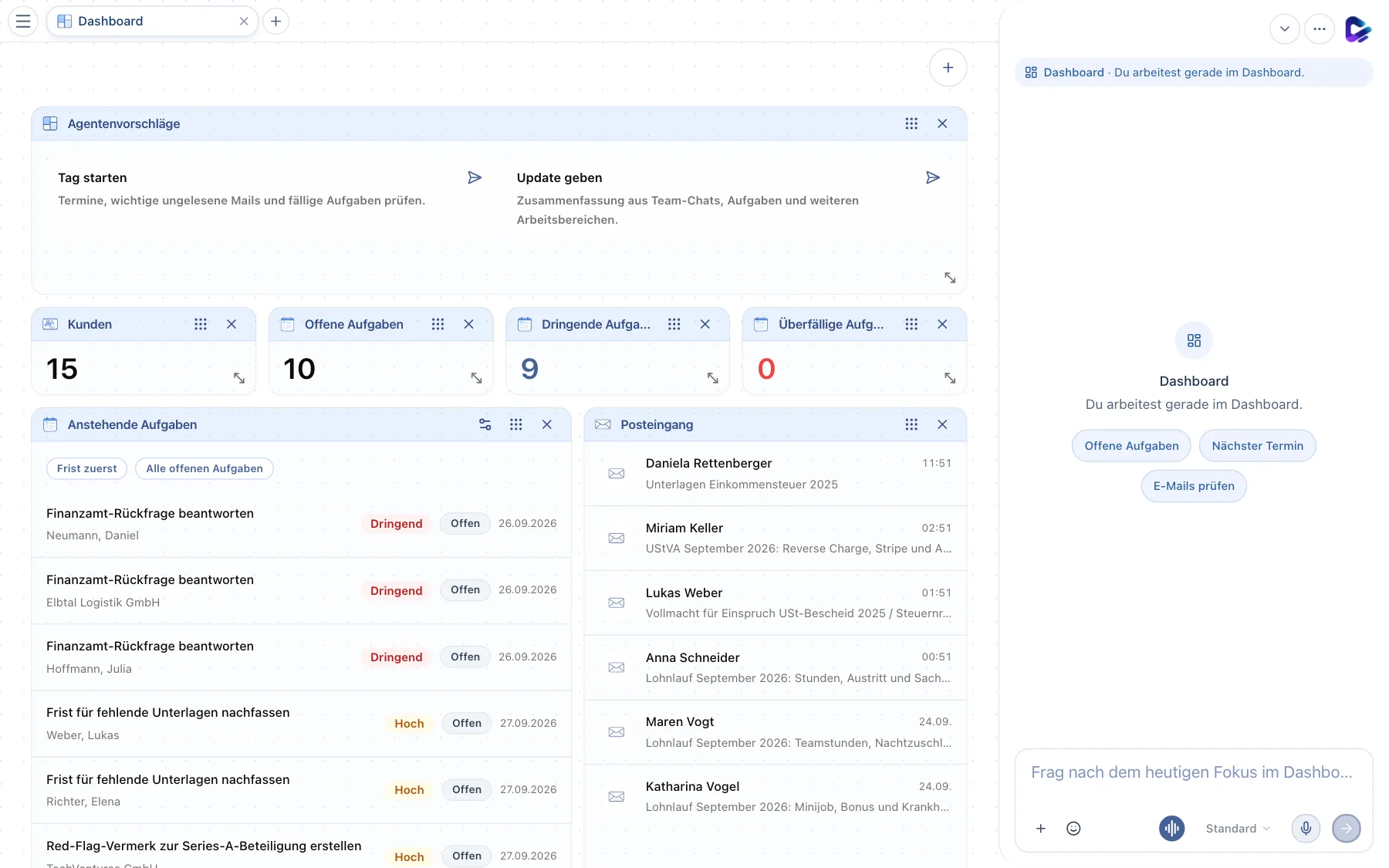
Alle Bildschirmfotos stammen aus einem fiktiven Demo-Arbeitsbereich einer Steuerberatungskanzlei. Namen, Adressen und Inhalte sind erfunden. Stand der Bildschirmfotos: 2026-10-01.
Hier anfangen
Neu in Clapilot? Diese drei Kapitel reichen für den Einstieg. Danach können Sie gezielt in die Bereiche springen, die Sie täglich nutzen.
- 1Erste SchritteAnmelden, Profil einrichten, Postfach verbinden und prüfen, ob alles funktioniert – der Einstieg in Clapilot in etwa 20 Minuten.
- 2Die ArbeitsoberflächeTabs, Menü, Chat-Dock und Benachrichtigungen – wie der Clapilot-Bildschirm aufgebaut ist und wie Sie sich darin bewegen.
- 3Mit dem Agenten arbeitenChat, Chat-Dock, Sessions, Erwähnungen, Freigaben und gute Aufträge – so nutzen Sie den KI-Agenten als Arbeitskollegen.
Grundlagen
Erste SchritteAnmelden, Profil einrichten, Postfach verbinden und prüfen, ob alles funktioniert – der Einstieg in Clapilot in etwa 20 Minuten.Die ArbeitsoberflächeTabs, Menü, Chat-Dock und Benachrichtigungen – wie der Clapilot-Bildschirm aufgebaut ist und wie Sie sich darin bewegen.Mit dem Agenten arbeitenChat, Chat-Dock, Sessions, Erwähnungen, Freigaben und gute Aufträge – so nutzen Sie den KI-Agenten als Arbeitskollegen.


Tägliche Arbeit
DashboardDie Startseite mit Weitermachen, anstehenden Aufgaben, Posteingang und Agentenvorschlägen – und wie Sie sie an Ihre Arbeit anpassen.E-MailsPosteingang, Smart-Ansicht, Antwortentwürfe, Filter und Ordner – wie Sie E-Mails in Clapilot lesen, beantworten und in Aufgaben verwandeln.AufgabenBoards, Kanban und Liste, Filter, Zuständigkeiten, Kommentare und die Übergabe an den Agenten – so organisieren Sie Aufgaben in Clapilot.KalenderWochen- und Tagesansicht, Termine per Drag-and-drop oder in natürlicher Sprache anlegen, Fristen sehen und Kalender importieren oder exportieren.KontakteDie Kundenakte in Clapilot – Kontakte finden, filtern und anlegen, die Vorgangszentrale lesen und Dokumente, Aufgaben und E-Mails pro Kontakt im Blick behalten.DokumenteDateien hochladen, ordnen, finden und in der Vorschau mit KI-Analyse prüfen – plus Word, Excel und Markdown direkt in Clapilot bearbeiten, teilen und versenden.Team-ChatKanäle, Direktnachrichten und Agenten im Team-Chat – wie Sie sich abstimmen und den Agenten in Gespräche einbeziehen.


Wissen & Inhalte

Automatisieren & erweitern
Automationen und Spezial-AgentenWiederkehrende Aufträge an den Agenten planen, auf neue E-Mails oder Dokumente reagieren, Vorlagen nutzen und Spezial-Agenten für eigene Aufgabengebiete einsetzen.Store und ModuleModule, Skills, Widgets und Spezial-Agenten im Store finden und installieren – mit einem Überblick über alle optionalen Module wie Social Media, Call- & Fax-Agent, Physische Post und Video Studio.


Einstellungen & Verwaltung
EinstellungenProfil, Sprache, Chat-Optionen, Menü, E-Mail-Signatur und -Filter, Heartbeat, Passwort, App-Verbindungen und Moduleinstellungen – alles, was Sie für sich selbst einstellen können.AdministrationFür Administratoren – Benutzer einladen, den Agenten konfigurieren, KI-Anbieter und Modelle, Postfach der Assistenz, Funktionen, Module, Sicherung und Speicher.

