
Daily work

Dashboard
Your start page with metrics, upcoming tasks, inbox and agent suggestions – and how to adapt it to your work.
Open in ClapilotThe dashboard is your start page. It shows at a glance what matters today, and you can arrange it like a pinboard: move widgets, resize them, hide them or add new ones.
Layout
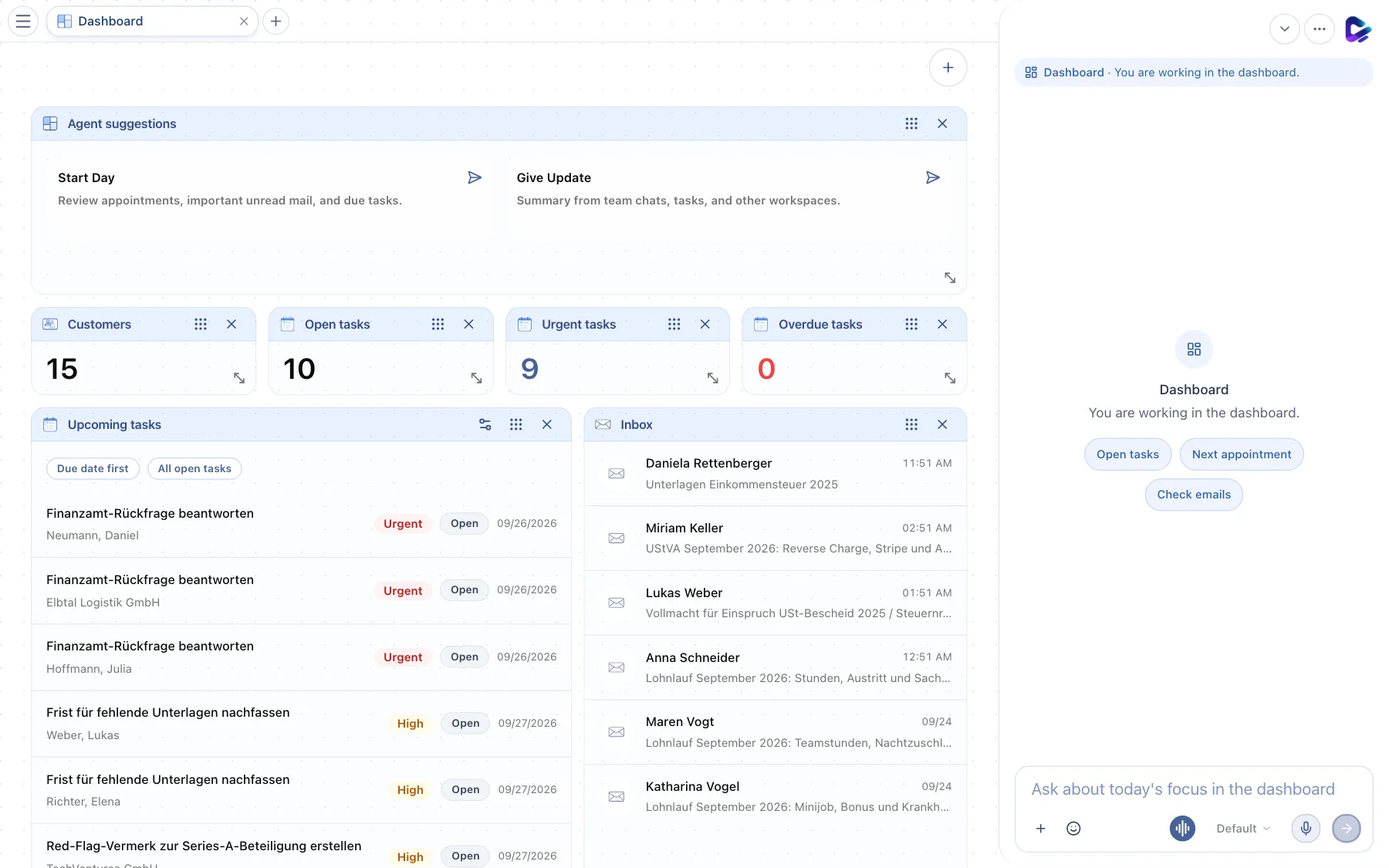
- Agent suggestions – click Start Day to have the agent check your appointments, important unread mail and due tasks; Give Update summarizes team chats, tasks and other areas. The answer appears in the chat dock.
- Metrics – contacts and open, urgent and overdue tasks. Click a title to open the matching filtered list.
- Upcoming tasks – your next tasks with priority, status and deadline. Due date first and All open tasks change the sorting and filter.
- Customize task widget – sets which tasks the widget shows (for example only your own) and how they are sorted.
- Inbox – the latest emails in your personal mailbox. Click one to open it.
- Resize – drag the bottom-right corner to make a widget larger or smaller.
- Dashboard actions – the plus button for quick actions and new widgets (next section).
Each widget has a handle (six dots) at the top right for moving it by drag and drop, and an × for hiding it. You bring hidden widgets back with the plus button. Your layout is saved just for you.
Quick actions and new widgets
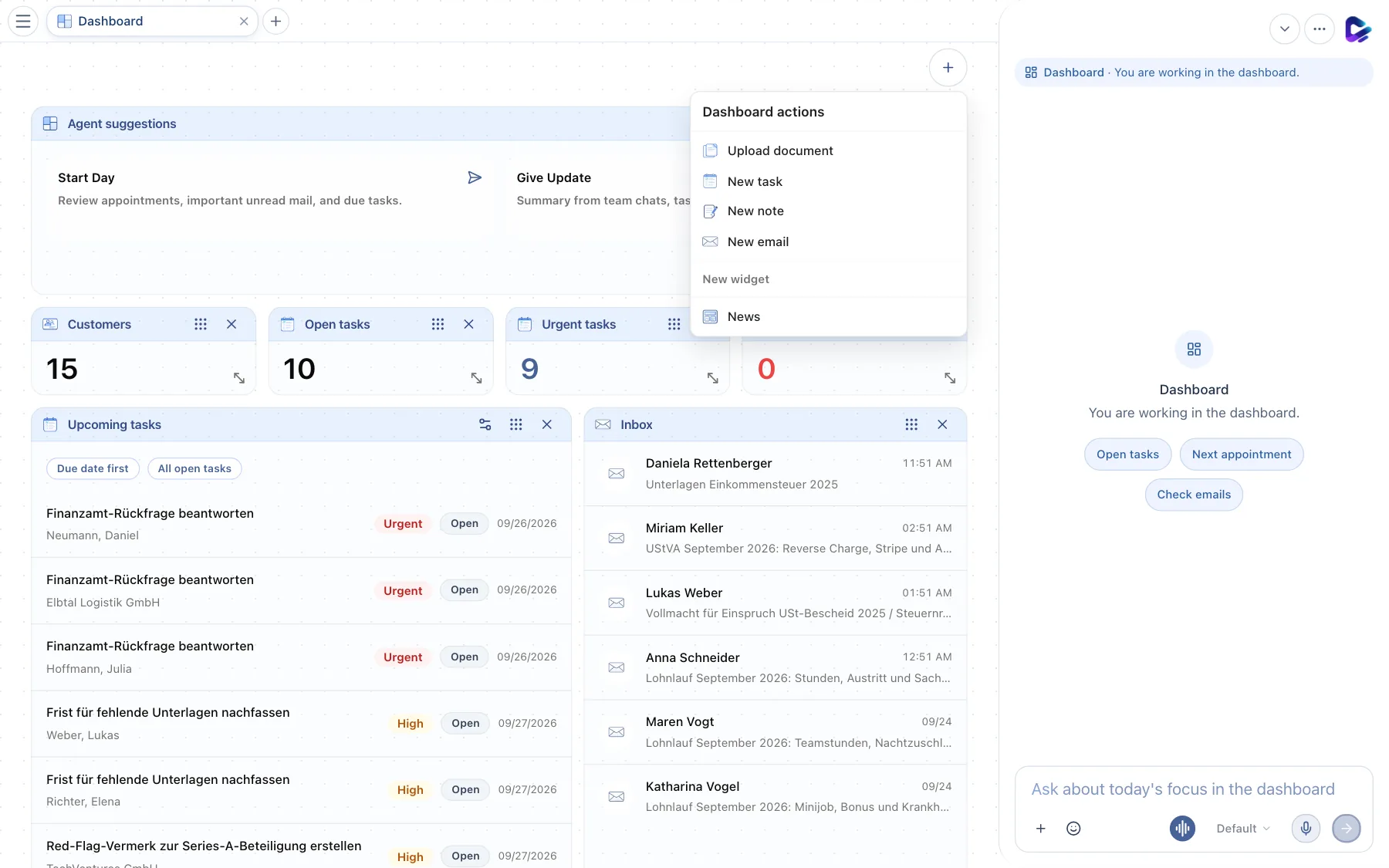
- Dashboard actions – opens the menu.
- Quick actions – Upload document, New task, New note and New email, without leaving the page.
- New widget – lists all widgets that are not on the dashboard right now, for example News. If all widgets are visible, you see a note here instead.
You create your own widgets – for example a table with your key figures – in the Store under Widgets, together with the agent if you like (Store and modules).
If something is missing
- “No personal email account configured.” in the inbox: connect your mailbox under Settings → App Connections (Getting started).
- Onboarding tile: If your administrators have turned on onboarding, a tile appears after your first sign-in and guides you through email, documents, templates, calendar and contacts in six steps. You can repeat it at any time under Settings → Profile with Restart onboarding.
What you can ask the agent
- “What's on my plate today?”
- “Which tasks are overdue, and who are they assigned to?”
- “Summarize the emails that have come in since yesterday.”