

Notes and wiki
Personal notes with pages and drawings, the shared wiki as your knowledge base, and the Whiteboard and Canvas work surfaces.
Open in ClapilotClapilot distinguishes two kinds of knowledge: Notes are your personal records – meetings, ideas, checklists. The Wiki is your team's shared knowledge base with processes, policies and templates, which the agent can also access.
Notes
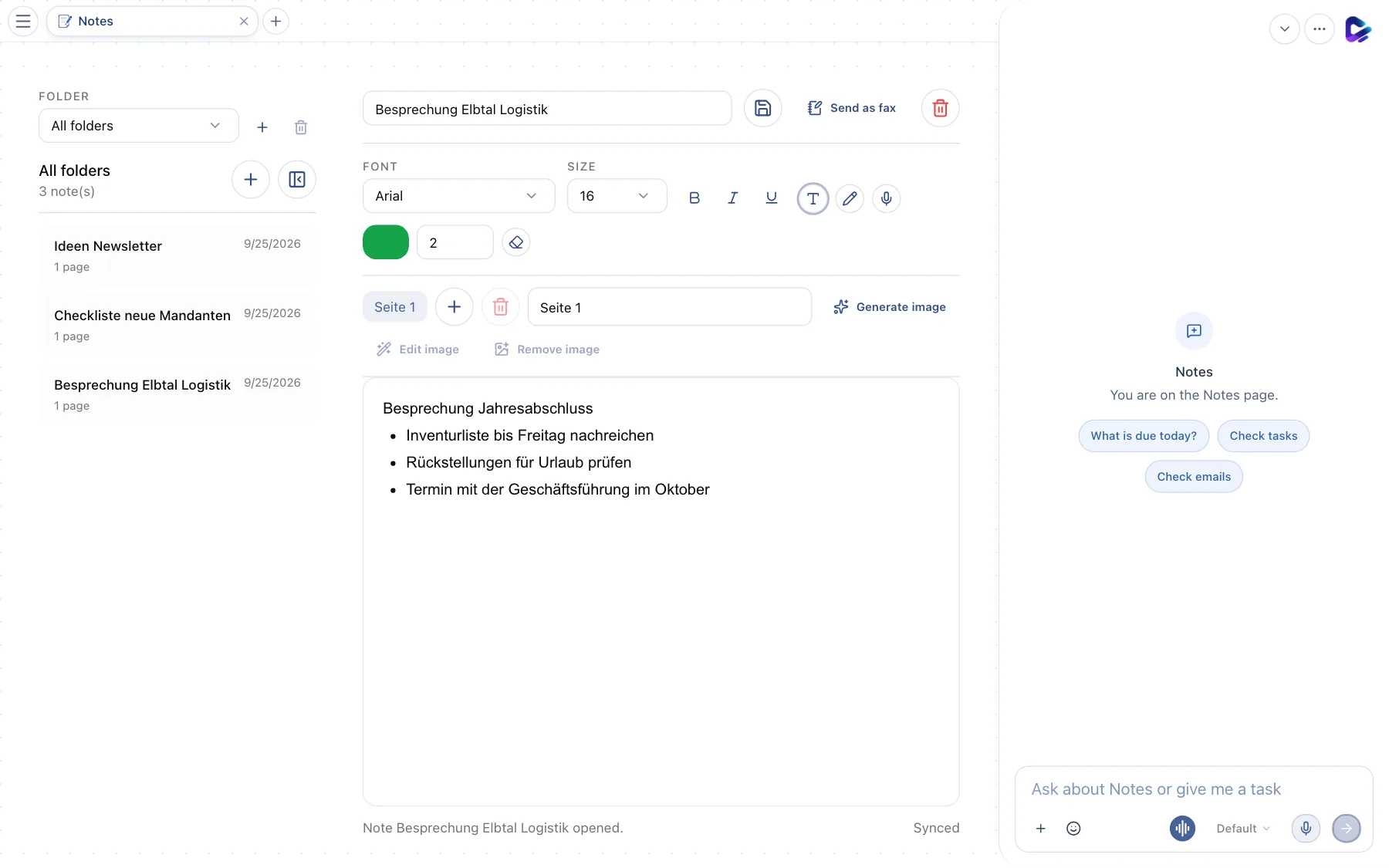
- Folder – selects a folder or shows All folders. Next to it, you create or delete folders.
- New note – creates an empty note.
- Note – click it to open it. The list shows the number of pages and the date.
- Note title – the name of the note. Next to it, you save and delete the note.
- Send as fax – sends the note by fax, if the Call & Fax Agent is set up.
- Formatting – font, size, bold, italic and underline.
- Draw mode – switches from text to drawing mode, for example for handwritten sketches. You choose the color and stroke width below.
- Content – the text of the current page.
A note can have several pages: use the plus next to Page 1 to add another one. You can insert images or have them created with Generate image. Notes are saved automatically; Cmd/Ctrl + S saves immediately.
Notes are personal – your team can't see them. Handwritten notes from a connected reMarkable appear in Documents → reMarkable notes.
Wiki
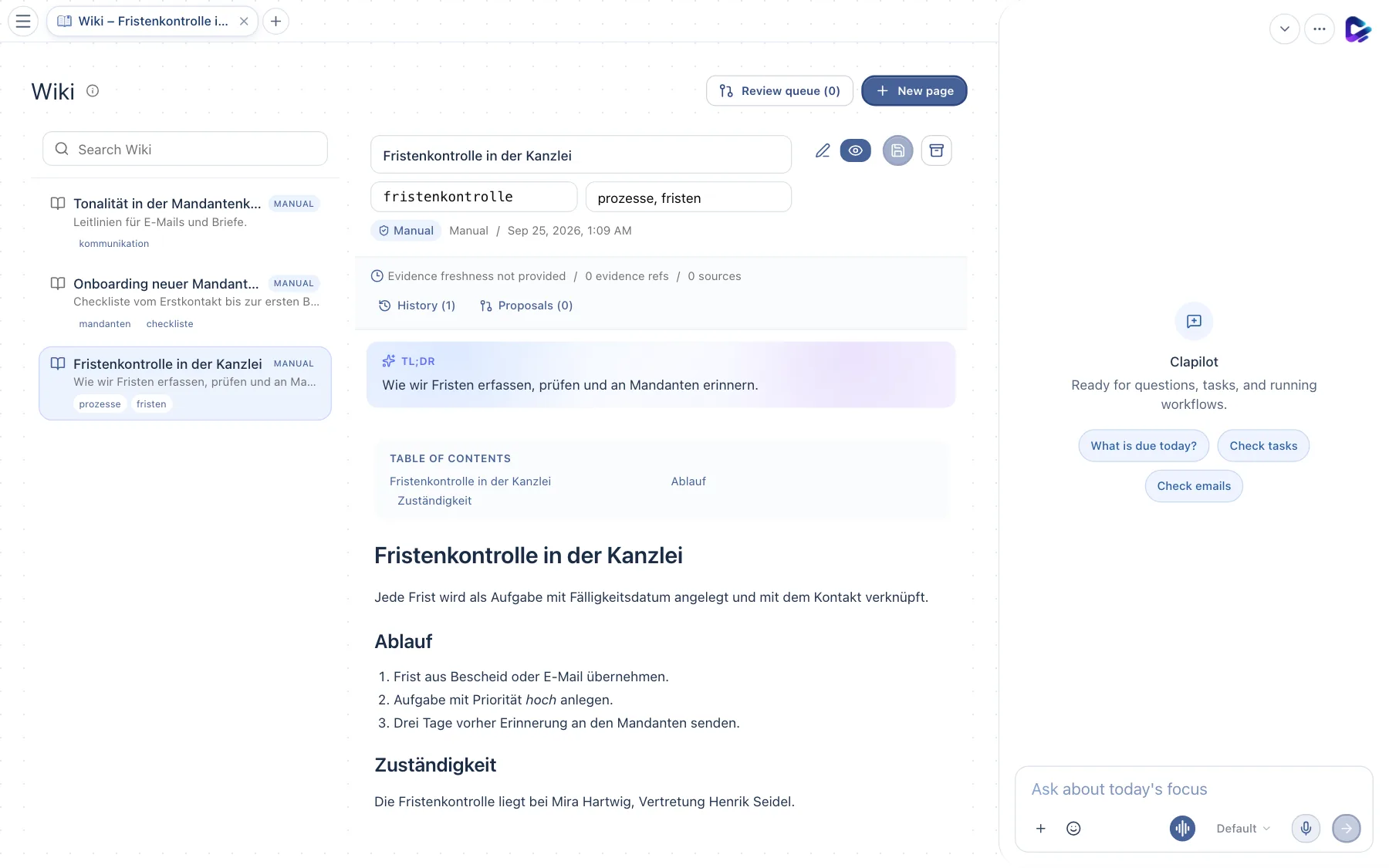
- Search – searches the titles, content and tags of all pages.
- Page – click it to open it. The Manual label shows that a person created the page; pages the agent created are labeled accordingly.
- Review queue – change proposals from the agent that are waiting for your review.
- New page – creates a page.
- Edit – switches to edit mode; next to it, you turn on the Preview, save or archive the page. Above it, you edit the title, address (slug) and tags.
- History – earlier versions of the page. Next to it, you see open Proposals.
- Content – the page, with an automatic table of contents and a short summary (TL;DR) above it.
You write wiki pages in Markdown; Cmd/Ctrl + B, I, U and K (link) help with formatting.
The wiki and the agent: The agent reads the wiki when it answers questions, and it suggests new pages or changes when it comes across knowledge in conversations that should be recorded. Pages you write are protected: changes to them always go to the Review queue first.
Whiteboard and Canvas
Two optional modules for visual work:
- Whiteboard – an infinite surface for sticky notes, shapes, connectors and freehand drawing. Good for workshops and process flows.
- Canvas – a free surface for visualizations, tables and diagrams that the agent creates and edits for you: “Draw our deadline tracking process as a diagram.”
Your administrators install both in the Store; they then appear in the menu under Content.
What you can ask the agent
- “Create a note with the key points from this chat.”
- “What does the wiki say about deadline tracking?”
- “Create a wiki page ‘Onboarding new employees’ with a checklist.”